
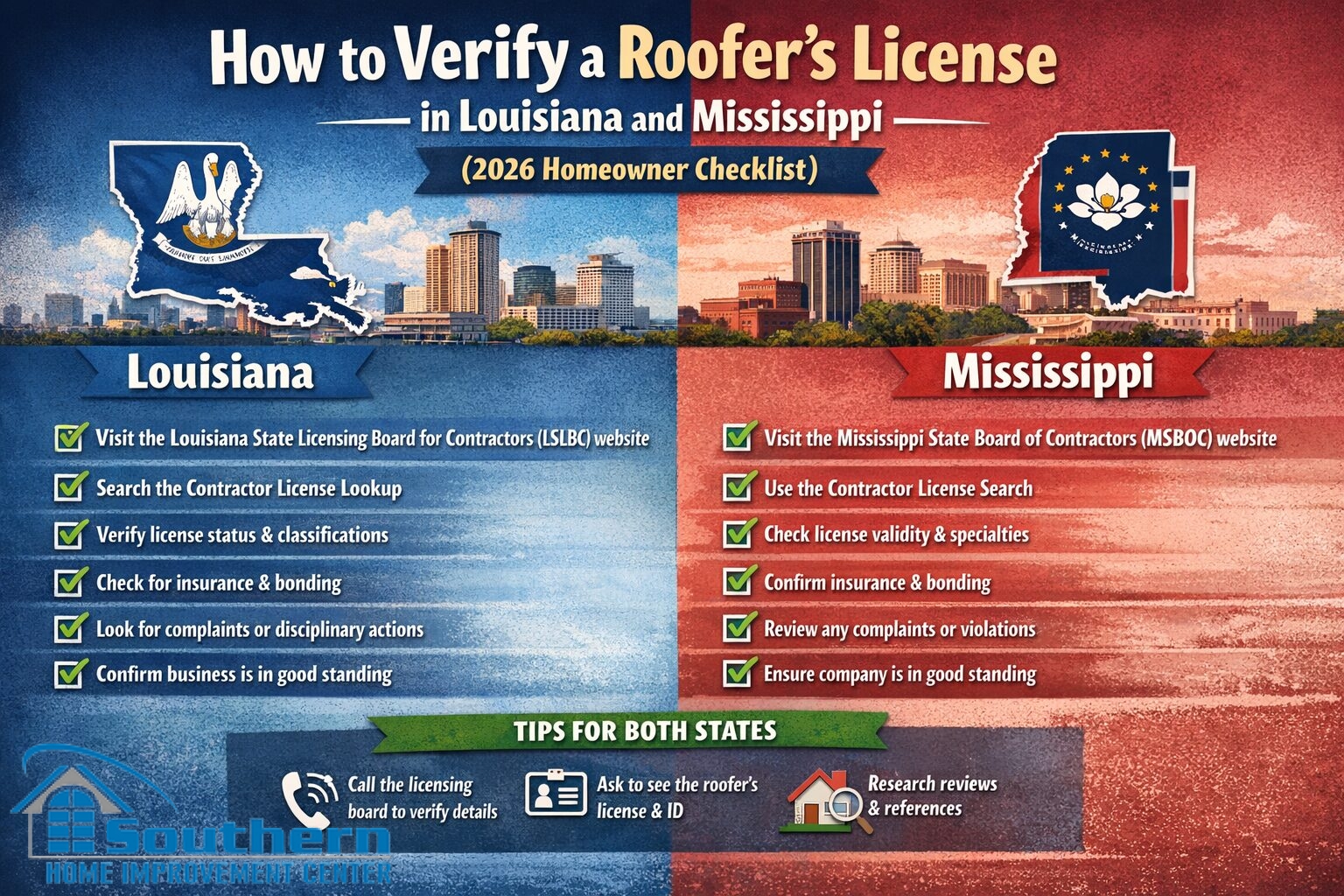
How to Verify a Roofer’s License in Louisiana and Mississippi (2026 Homeowner Checklist)
If you’re comparing roof quotes across the Gulf Coast, do one thing before you pay a deposit: verify the contractor’s licensing record in the state where the work will happen. This guide shows a simple, repeatable way to confirm status, classifications, and the company name using official databases in both states.
Note: This is homeowner-focused information, not legal advice. Rules can vary by project value, scope, and local permitting requirements.
What to gather before you search
Before opening any database, collect a few details so you can match the record correctly (and avoid “similar name” confusion):
- The contractor’s exact legal business name as written on the proposal/estimate
- Their license number (if provided)
- The city where the company is based (helpful when results are long)
- The name of the qualifying party (if listed on the proposal)
- Your project address and scope (replacement, repair, gutters, siding, etc.)
Once you have these, you can verify the record in minutes and compare it directly to the name on your paperwork.
Louisiana: verify roofer license Louisiana using the LSLBC contractor search
For Louisiana projects, the official source is the Louisiana State Licensing Board for Contractors (LSLBC). There are a couple of “front doors” into the same data. Use whichever loads best for you.
Option A: Public “Verify License Search” page
This option is straightforward and works well if you want to search by company name, license number, or a person’s name.
- Open the public search page: Verify License Search.
- Enter at least one field (company name is usually best).
- If you have it, add the license number to narrow results.
- Run the search and open the most relevant match.
- Compare the record to your estimate: business name, location, and status should align.
If multiple similar names appear, match using the address/city and the exact punctuation (LLC, Inc., etc.). If the record does not match your estimate exactly, pause and ask the contractor to clarify.
Option B: “Contractor Search” on the main LSLBC site
This is another official entry point and can be helpful if you want advanced filters (parish, type of contractor, qualifying party, and more).
Use the method that best matches what you have (name, license number, city/parish). Then open the record and validate it against your proposal.
What to check in the Louisiana result
When you open the contractor’s record, focus on the fields that protect you as a homeowner:
- Status: active/current is the baseline expectation
- License/registration type: make sure it fits the scope and likely project value
- Classification: look for roofing-related classifications when the scope is roofing
- Company name: should match your estimate and contract (not “close enough”)
- Qualifying party (if shown): helpful for identity matching
- Address / location: should align with what the contractor provided
If your estimate is under one company name but the database record shows a different entity, don’t proceed until the paperwork and the official record line up.
Fast alternative: the La. Contractor mobile app
If you prefer a phone-based lookup, LSLBC also references the “La. Contractor” app. It’s useful when you’re on the go and just want to confirm a name or license number quickly.
App reference: La. Contractor (iOS)
Important nuance: “Verification of Licensure” vs homeowner lookup
You may see the term “verification of licensure” used in different contexts. Some pages describe a formal verification letter process (often for reciprocity). For homeowner screening, use the public contractor search tools above as your first step.
Mississippi: Mississippi contractor license search using MSBOC “Check a License”
For Mississippi, the official licensing authority is the Mississippi State Board of Contractors (MSBOC). Their site directs consumers to an official “Check a License” search portal.
Step-by-step: check a Mississippi contractor
This workflow is designed to be fast even if you only have a name.
- Start at MSBOC consumer guidance: Hire a Contractor.
- Click “Search contractors” / “Check A License” (it routes to the official search system).
- Use the quick search if you have a license number or exact name: MSBOC Search.
- If results are broad, switch to the advanced search: MSBOC Advanced Search.
- Filter by status and (when relevant) a roofing-related classification, then open the closest match.
If you’re searching by license number, follow the MSBOC instruction to enter numbers only (no prefix/suffix). If the record is unclear, verify directly with MSBOC before signing.
What to check in the Mississippi result
Once you open the contractor record, confirm the items that matter for risk control:
- Status: active vs inactive/expired/suspended
- Company name: should match your estimate exactly
- Classification: look for roofing/sheet metal/siding where applicable
- Expiration date: make sure it’s current
- DBA (if listed): helpful when marketing name differs from legal entity
- Location: confirm it’s the contractor you’re actually dealing with
Mississippi licensing can depend on scope and thresholds. If you’re unsure whether your exact project requires a license, use MSBOC guidance and confirm with your local permitting office for your city/county.
What to screenshot and save for your records
When you verify a contractor, save proof the same day. It’s useful for your project file, resale questions, and claim documentation if a dispute ever happens.
- A screenshot of the search result page showing the company name and status
- A screenshot of the detail page showing license/registration type and classification
- The date you checked (include it in the filename)
- The estimate/contract page showing the contractor’s legal name and address
Keep these with your contract, permit paperwork, and close-out documents. It takes 60 seconds and can save hours later.
Red flags that should slow you down
Licensing verification is one filter. These are additional signs you should pause, ask questions, and get clarity in writing:
- The database record is inactive, expired, suspended, or revoked
- The business name on the estimate does not match the official record
- The contractor won’t provide a license number or says “you don’t need that”
- They push for a large deposit before confirming scope, permits, or classification
- They discourage permits or say “we’ll skip inspections to move faster”
- They want payment methods that leave no paper trail
A professional contractor will answer licensing and permit questions directly, and they’ll be fine with you verifying everything before you sign.
FAQ
Do I need to verify licensing if the contractor was referred by a friend?
Yes. Referrals help you shortlist, but the official record is still the objective confirmation that the company can legally contract for the scope and price level you’re considering.
What if the contractor says they’re licensed “in the other state”?
Verify in the state where the work will occur. A Louisiana record does not automatically confirm Mississippi status, and vice versa. Check both if you’re near the border or the company works in both places.
What’s the quickest way to verify a contractor in Louisiana?
Use the public “Verify License Search” page or the main LSLBC contractor search page. If you prefer mobile, the La. Contractor app can be a fast first-pass check.
What’s the quickest way to verify a contractor in Mississippi?
Use MSBOC’s “Check a License” search system. If you have a license number, quick search is fastest. If you only have a name, use advanced search and narrow by status and classification.
Should the license number be printed on the estimate?
It’s a strong professionalism signal when it is, but the key requirement is that the official record matches the legal entity signing your contract. If it’s missing, ask for it and verify independently.